TradesWork Field for iPhone and Android
One app for the whole crew. Three views that fit each job.
Technicians, comfort advisors and owners each get a screen built around their day, in the same app. It works with no signal, speaks English and Spanish, and uses the words your ServiceTitan crew already knows.
Coming to the App Store and Google Play; the iPhone app is in TestFlight beta now. The same app runs in any phone browser today.

iPhone + Android
one app, both platforms
3 views
in one app
No signal
jobs, estimates and photos still work
EN · ES
the whole app, both languages
10
field calculators, offline
Three views, one app
Everyone sees their own day.
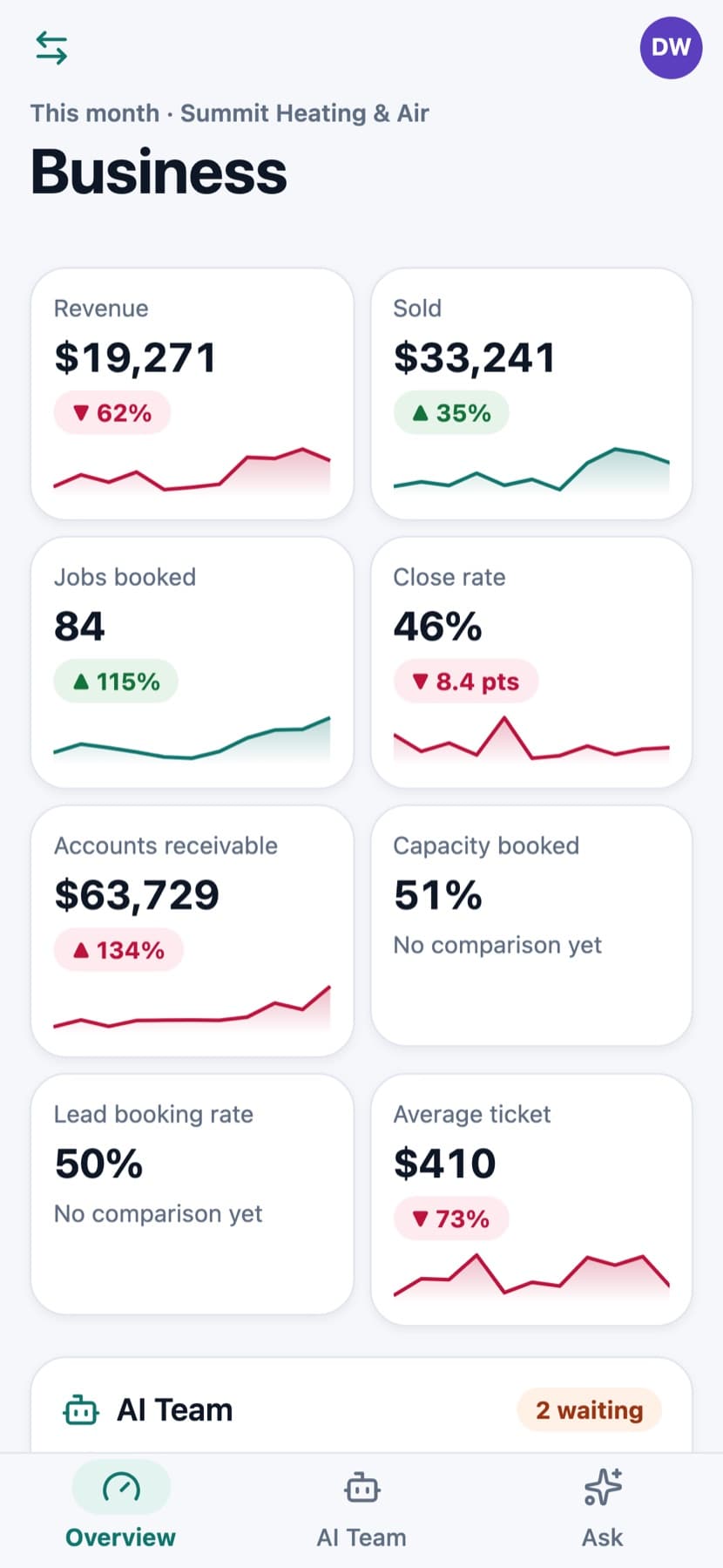
Pick a view to see what it does. Real screens from the app, with demo data.
For technicians
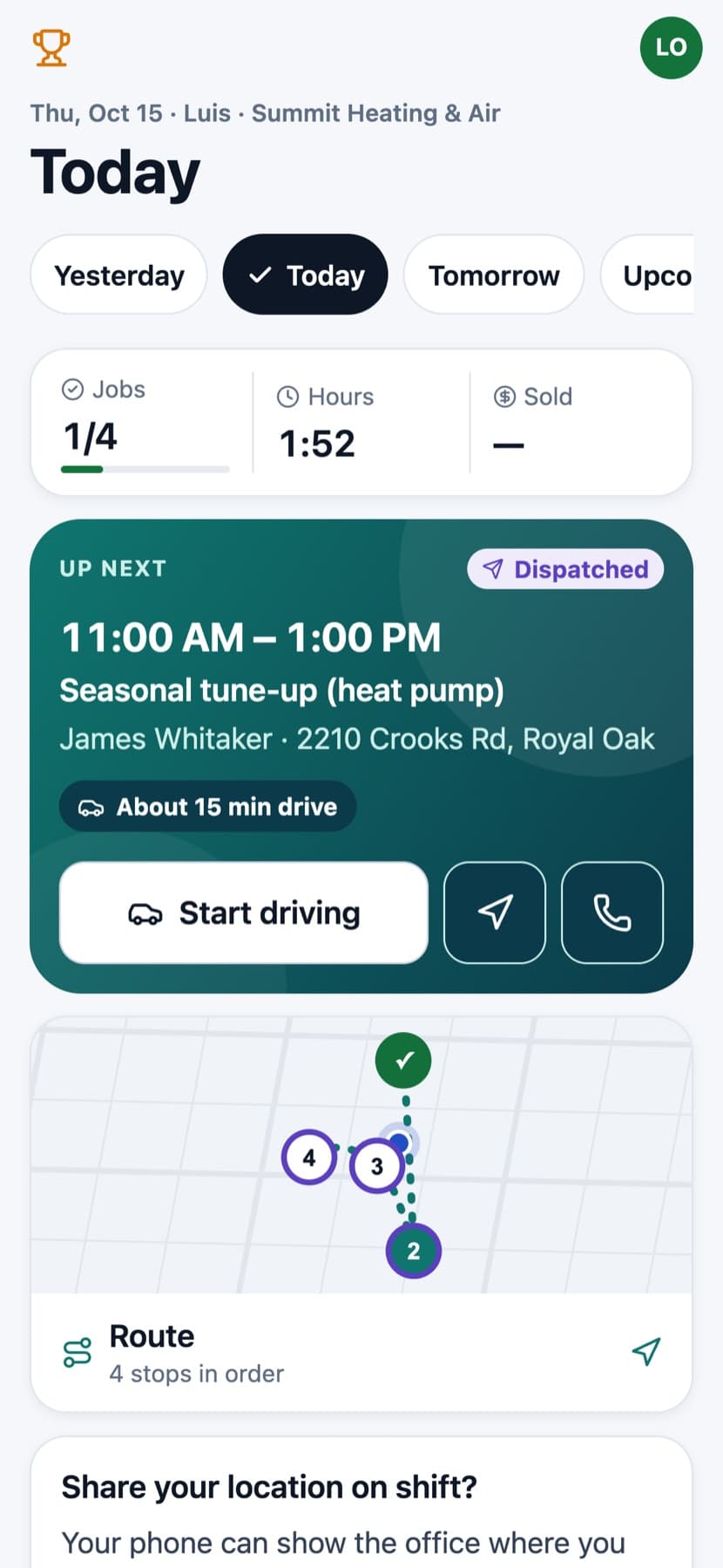
The day in order. One tap per step.
Your techs open the app and see today's jobs in order, the next arrival window and the drive. Every status is one big button, with the ServiceTitan words they already know: Start driving, Arrived, Finish.

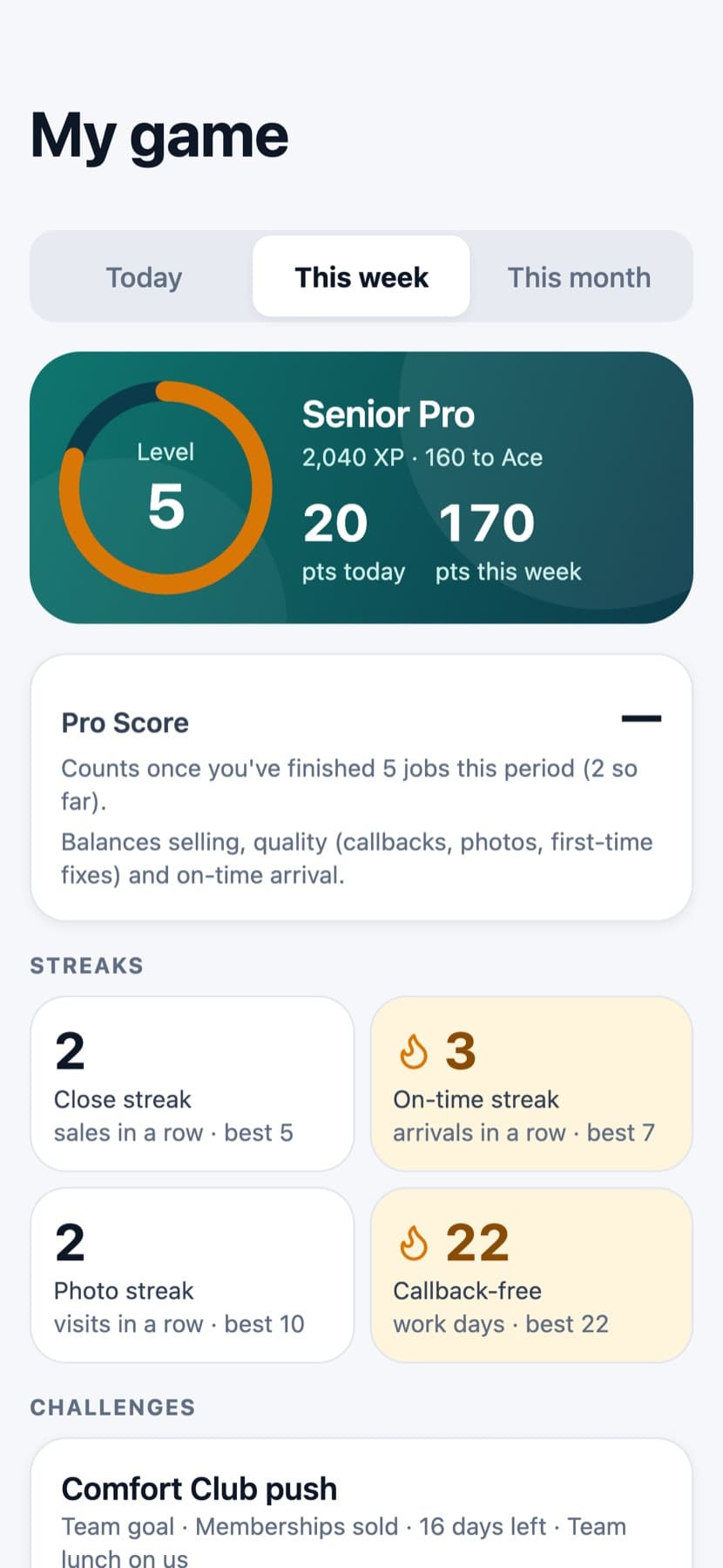
Wear more than one hat?
Switch views in a tap.
In a lot of shops the owner still runs calls and the best tech also sells. Each person gets the views their role allows. An admin sets the default, and anyone can switch in Account. The phone remembers the choice.
Most field apps are built for the person holding the wrench. TradesWork gives the comfort advisor and the owner a screen built for their job too, with the same sign-in.
A day with TradesWork Field
One job, three people, one app.
Follow a no-heat call from the tech's first stop to the owner's end-of-day numbers. Scroll, and the phone follows along.
7:40 am · Technician
The day, in order
Luis opens the app: four stops, the first arrival window, and about 15 minutes to drive. One tap starts the drive.
9:05 am · Technician
One button per step
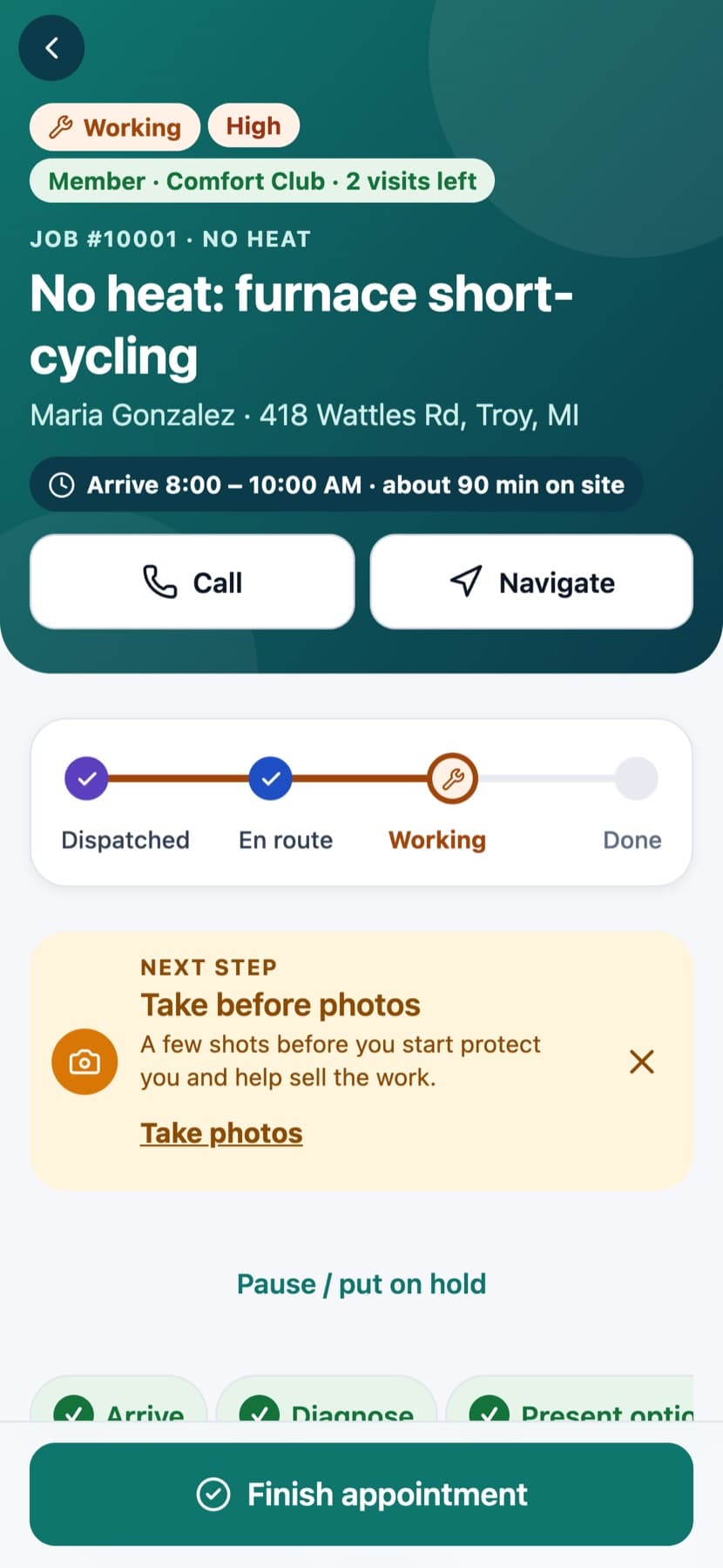
Arrived, diagnose, present options, finish. The app asks for before photos at the right moment, and nothing blocks the job that shouldn't.
10:15 am · Sales
Show the home before the price
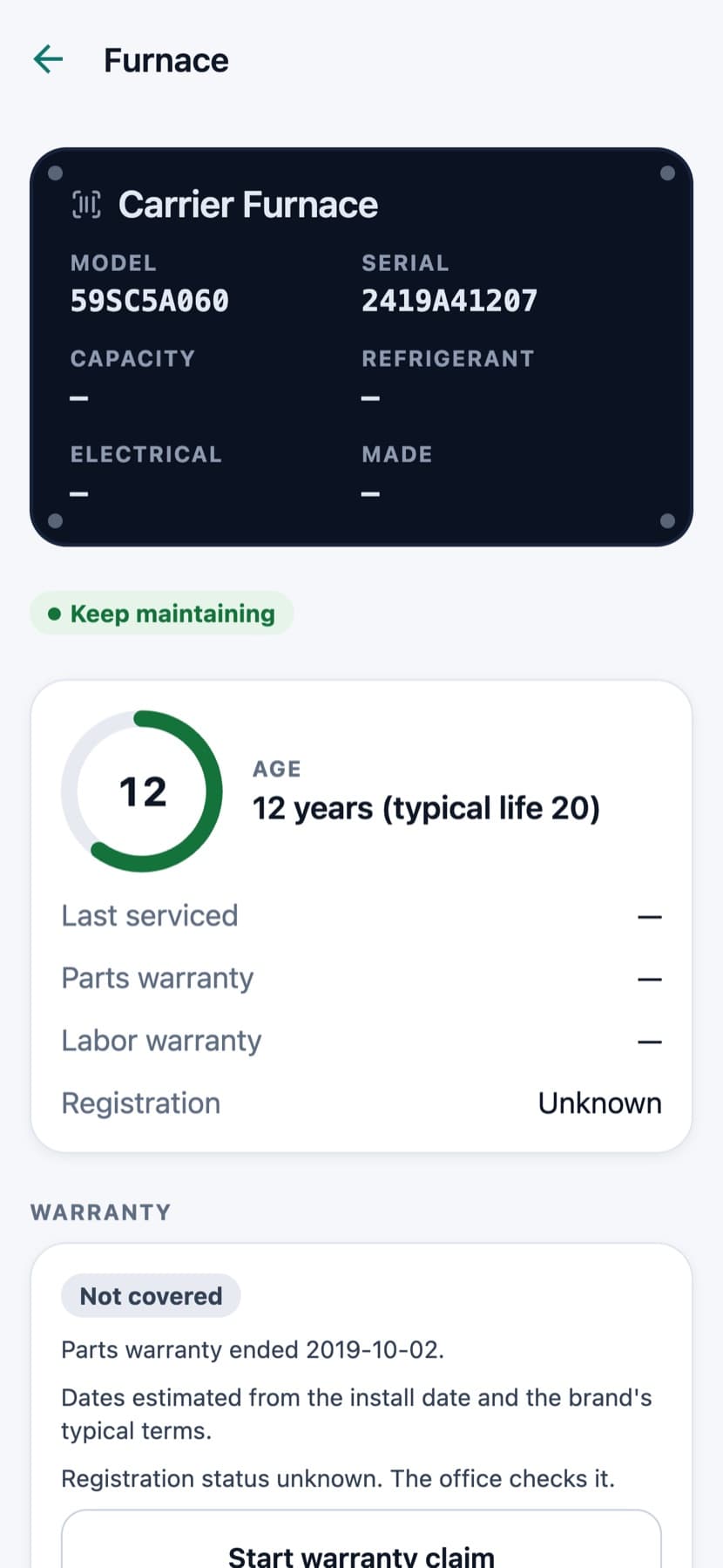
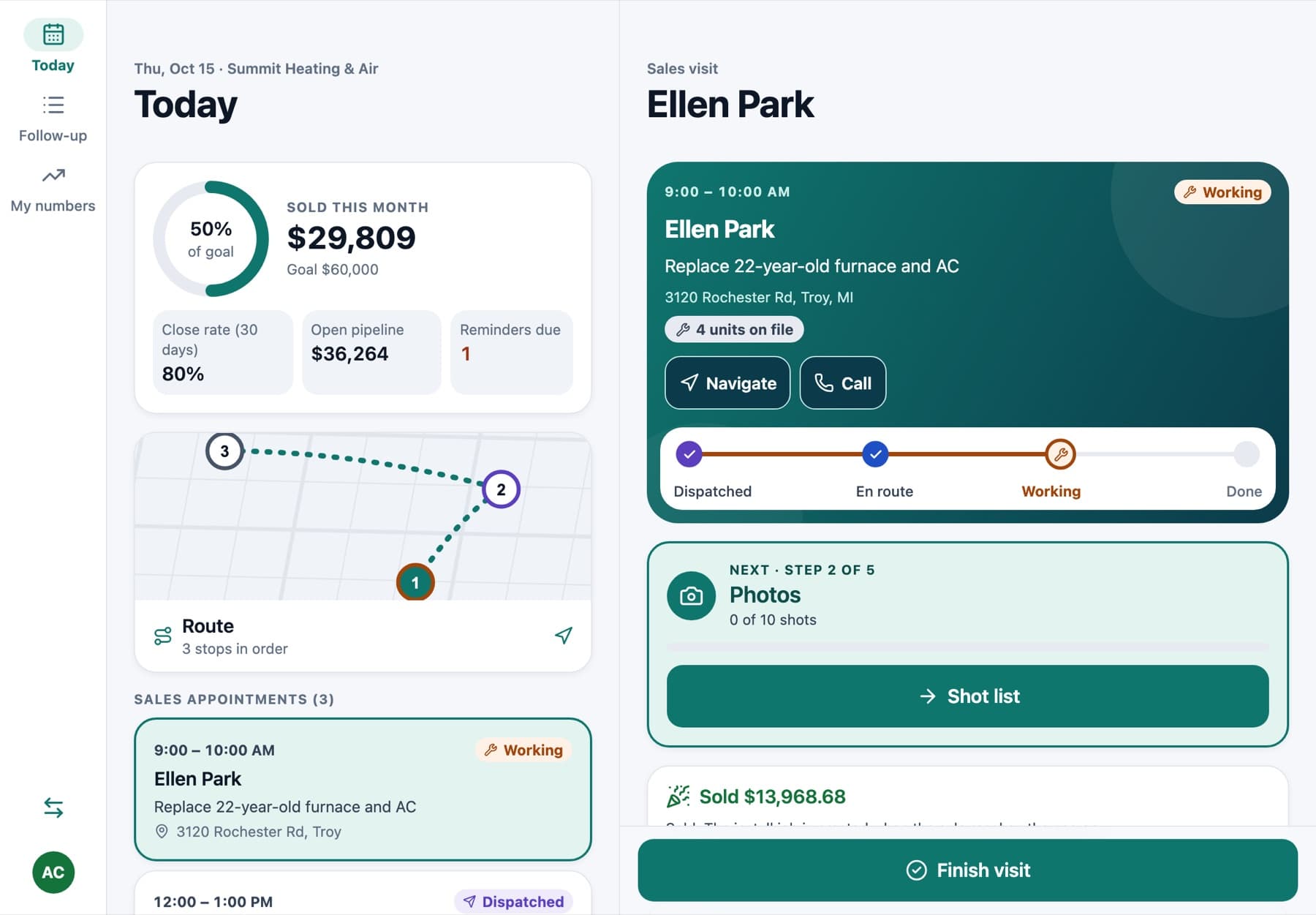
Ellen's 22-year-old furnace gets a findings page first: photos, condition and how old the system is against its typical life.

10:25 am · Sales
Three options, monthly first
Good, better and best, with the monthly figure, the cash price and the price after rebates. Ellen asks to see it in Spanish for her mother; one tap.

10:40 am · Sales
Approve and sign
Ellen signs on the iPad. The sold screen stays locked, and the replacement becomes an install job for the office to schedule.

12:10 pm · Owner
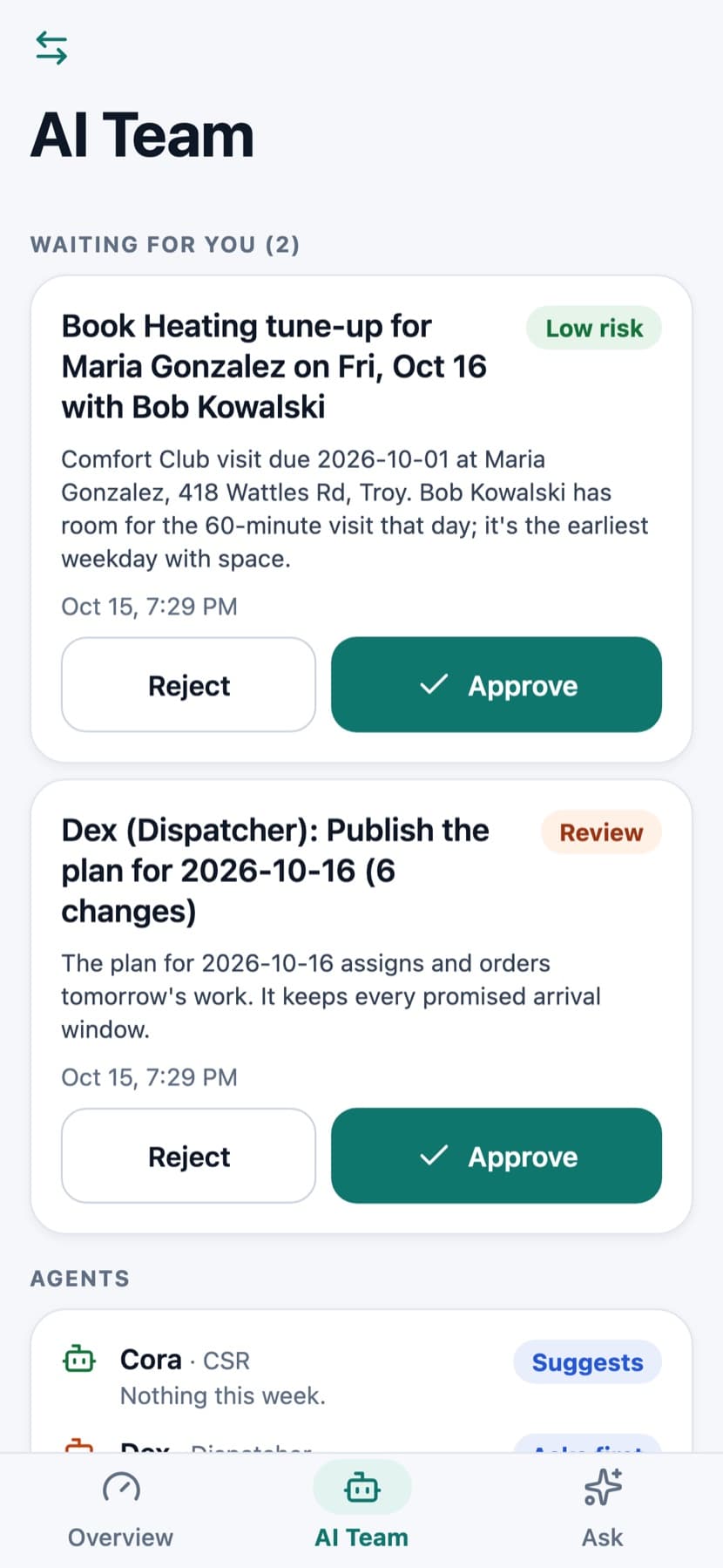
Approve from the truck
Dana approves the AI Team's dispatch plan for tomorrow and a member tune-up it booked, between two jobs of her own.
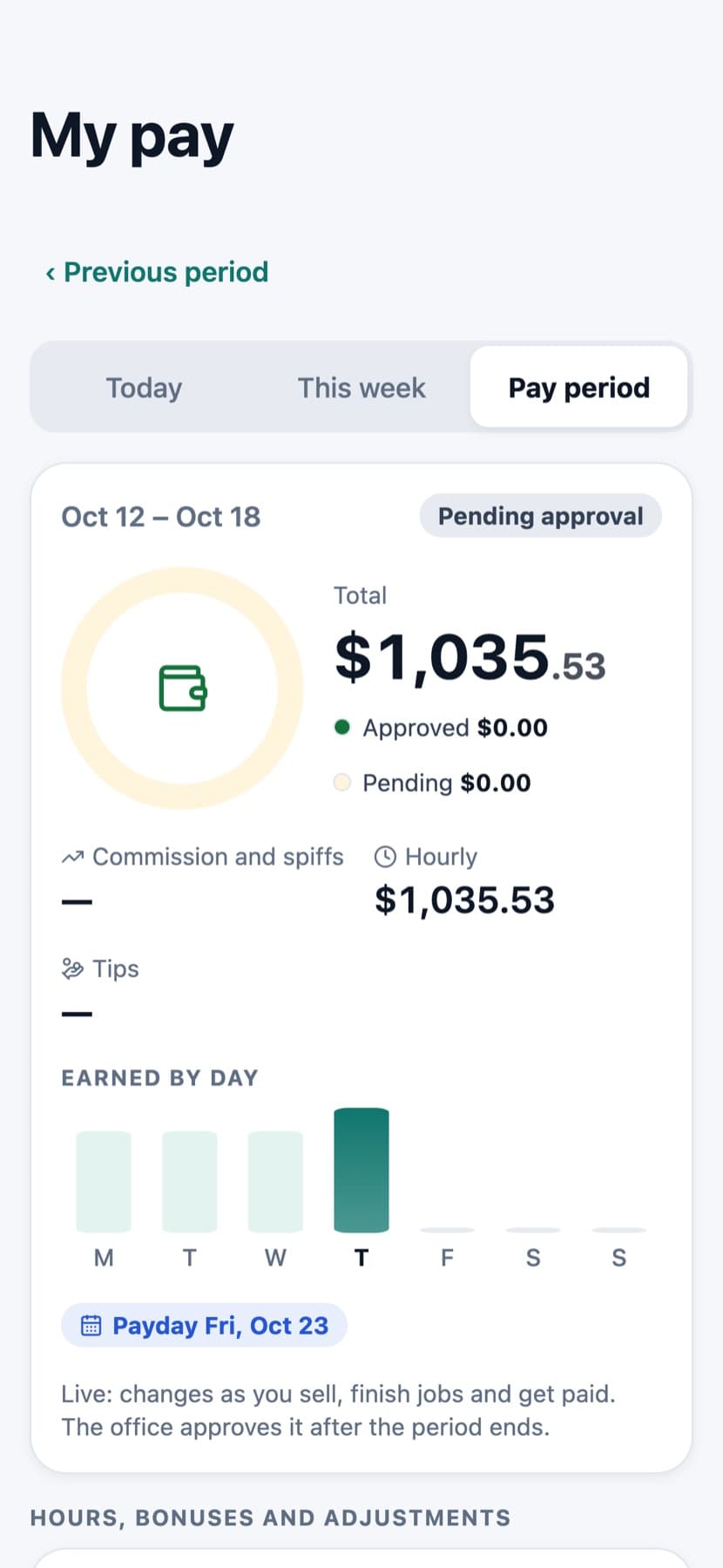
5:30 pm · Technician
See what the day paid
Luis checks My pay: hourly plus commission and spiffs, with what's approved and what's still pending.
6:00 pm · Owner
How the month is going
Revenue, sold, close rate and A/R against the same days last month, on one screen.
Technician view · Today
Made for the kitchen table
The iPad does the selling. You do the talking.
On iPad the visit sits beside the day's list, and the presentation fills the screen: the home's findings, then three options and a compare table the homeowner can read in English or Spanish. Hand it over in locked mode; costs and margins never show.
More on in-home sales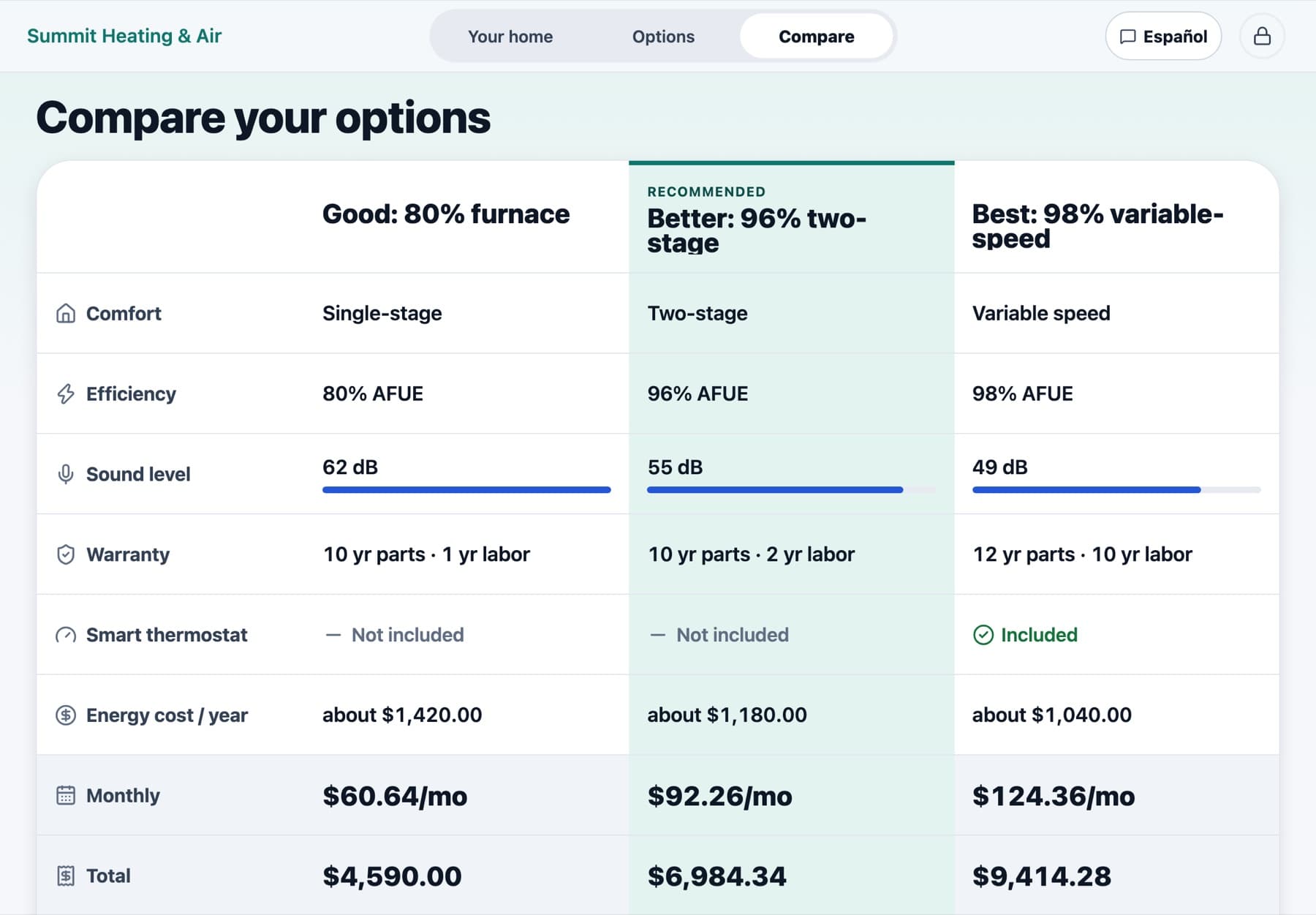
Built for the truck, the attic and the basement
The details that matter when you're on a ladder.
Works with no signal
Today's and tomorrow's jobs, the full price book, member prices and proposal templates download ahead. Statuses, notes, estimates, forms, photos, clock taps and cash or check payments save on the phone and sync in order.
English and Spanish
The whole app follows the phone's language or each person's choice, and the homeowner can switch a sales presentation to Spanish on their own.
The words they know
Statuses and buttons use ServiceTitan's words: Dispatched, Working, Done, Start driving. Your company picks residential or commercial wording.
Sunlight mode
A high-contrast theme for bright days (on automatically with iOS Increase Contrast), plus dark mode and big 48–56 pt touch targets.
AI only when you want it
AI assists are off until the company turns them on, with daily cost caps, and each tech can hide them. They never order parts or message a customer without a tap.
Customer-safe presenting
Hand-to-customer mode locks the iPad. Leaving it takes a long press plus Face ID, Touch ID or the passcode, and costs and margins never reach the customer's screen.
iPhone, Android, iPad and web
One app on iPhone and Android, with split view and a side rail on iPad, and the same app in any phone browser.
Ten field calculators
Superheat, subcooling, duct size, temperature split, voltage drop, gas pipe and more, on every plan, with no signal.
How it compares
Field apps, side by side.
What each company's field app offers, from their own sites and help centers. Every cell links to its source. A dash means we didn't find it in our research, not that it doesn't exist.
| TradesWork Field | ServiceTitan | Housecall Pro | Jobber | FieldEdge | |
|---|---|---|---|---|---|
| Works offline | Jobs, price book, estimates, forms, photos and cash or check payments | Offline mode claimed; dynamic pricing needs a connection | Viewing only, per its pricing page | — | Flat Rate Mobile works offline (review site) |
| Owner, sales and tech views in one app | Yes: switch views in Account; admins set each person's default | — | — | — | — |
| Runs in a phone browser too | Yes, the same app on the web | Native app only (as of Sept 2025) | — | — | — |
| Spanish | Whole app, plus a Spanish switch inside the sales presentation | Spanish-language support | — | — | — |
| Diagnostic calculators | Ten, on every plan, with no signal | In Field Pro, a paid Pro add-on | — | — | — |
| Findings before price | "Your home today" with photos and condition ratings | Findings tab in Present Proposal | — | — | Photos of the problem shown to the customer |
| Good, better, best on the phone | Built in, from your price book and templates | Proposal templates group estimate options | Sales Proposal Tool with side-by-side options | Quote options in beta, web only (low confidence) | Proposal Pro on Elite or as an add-on |
| AI help on the job | Opt-in assists with daily cost caps; never acts without a tap | Atlas troubleshooting in Field Pro (add-on) | Voice-activated invoicing | Jobber Voice for hands-free tasks | Nothing on its official site |
| Mobile seats | Every technician seat includes the app; office staff are free | — | — | — | Mobile licenses capped by tier (2, 4 or 6) |
| Consumer financing in the presentation | Monthly figures and term chips; no lender connected yet | Integrated partner lenders | Wisetack "as low as" and text-to-apply | — | — |
Research from public pages fetched October 12–15, 2026, without logins or trials; the ServiceTitan "native app only" note is from a September 2025 recording. Competitor features change; check their current pages. ServiceTitan, Housecall Pro, Jobber and FieldEdge are trademarks of their owners. TradesWork isn't affiliated with them.
Questions
About the Field app
Yes. TradesWork Field is one app for iPhone, iPad and Android phones and tablets, with the same three views on each. It's coming to the App Store and Google Play; the iPhone version is in Apple's TestFlight beta now, and your team can use the same app in any phone browser today.
Put it in your techs' hands this week.
Start a free trial, add a technician, and open today's job on a phone. No card, no sales call.
- No credit card
- No contract
- Cancel any time
